Amazon Vendor Analytics for Vendor Central Brands and Agencies
Vendor Central reporting, catalog alerts, and forecast tracking in one place.
Vendor Central holds your data and then makes you work for it. Sales diagnostic, inventory health, and purchase order reports each sit on a different screen, every export covers a slightly different window, and the history you need for a year over year read rolls off before you get around to pulling it. Layer Amazon Advertising and your Amazon.com detail pages on top and the full picture of a single ASIN ends up spread across three systems and a folder of spreadsheets.
InsightLeap connects to Amazon Vendor Central, Amazon Advertising, and Amazon.com, keeps the report history that Amazon's own interface drops, and puts the result on one set of screens, so a question about a single ASIN doesn't turn into three exports and a lookup table. Brands that also sell through Seller Central connect it as its own account under the same team.
What changed on my catalog today?
Vendor losses usually start quietly, and they almost never start in the sales report. A third-party seller takes the buy box on a top ASIN, or someone rewrites a bullet on your detail page, or a variation breaks and a replenishment code flips with it, and none of that reaches a weekly sales summary until the sales themselves are already gone.
InsightLeap's daily audit covers every ASIN you monitor and emails what moved: lost buy boxes, price and MAP breaches, content and variation changes, suppressed listings, and review spikes. Obsolete replenishment codes get their own email after each weekly import. The monitoring behind those alerts tracks third-party offers, buy box ownership, MAP and price violations, Best Seller Rank, and historic price changes, so when you open a product you can see how long the problem has been running and who is behind it.
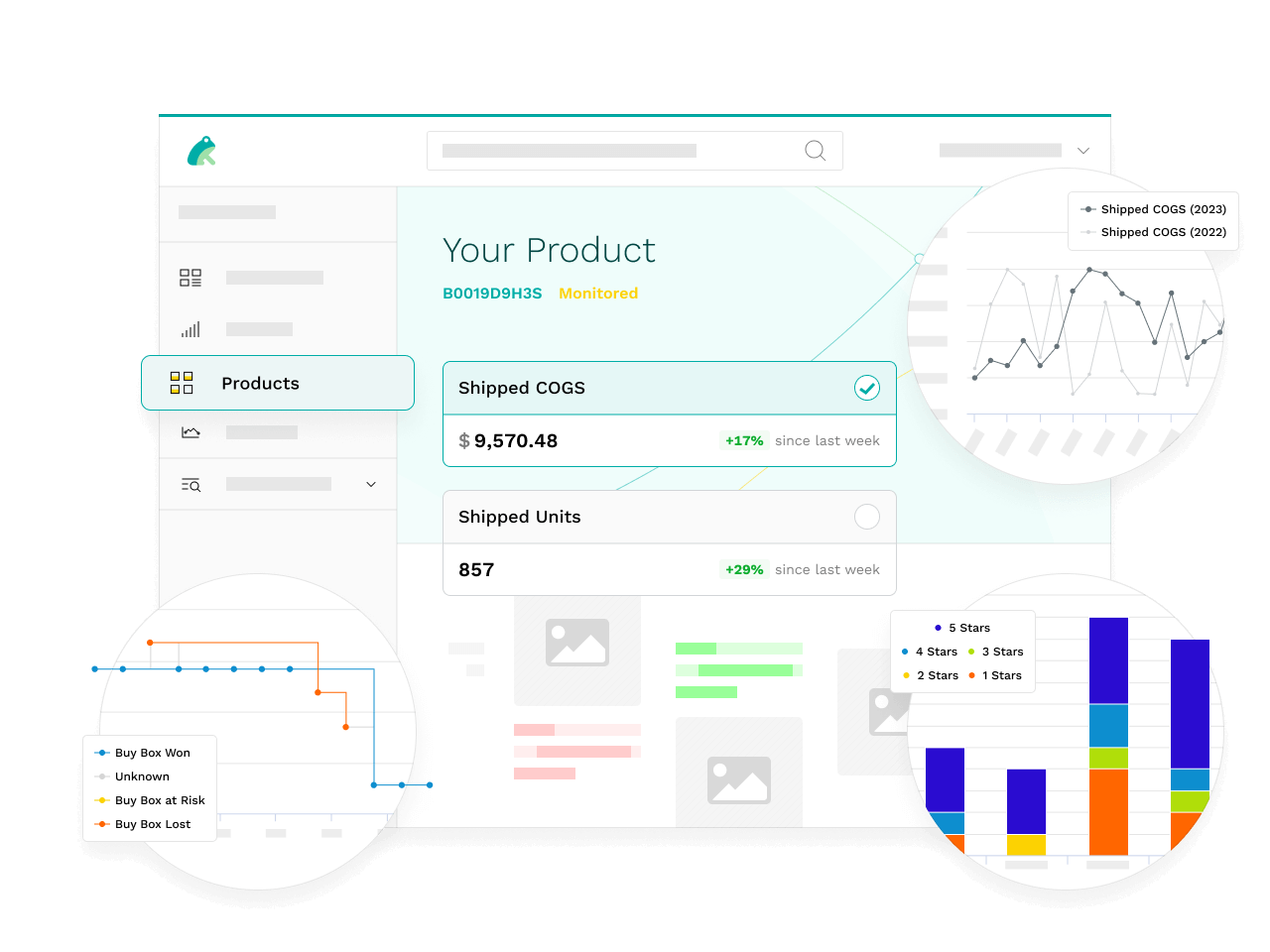
Greg Bonsib, VP of Marketing at General Tools, called daily buy box monitoring the single most important part of running their Amazon business, across a catalog of nearly a thousand products. The full account of what changed for that team is in the General Tools case study.
The Amazon buy box monitoring page goes through the daily check in detail: the buy box statuses, the third-party offer data, and the MAP and price alerts.
Why does pulling a Vendor Central report still take a morning?
The reporting job for most vendor teams is the same every week: open Vendor Central, run the exports, paste them into the workbook that has the formulas in it, then reconcile the ASINs that changed names or codes since last time. That holds up until the catalog grows, or until the person who owns the workbook is out for a week.
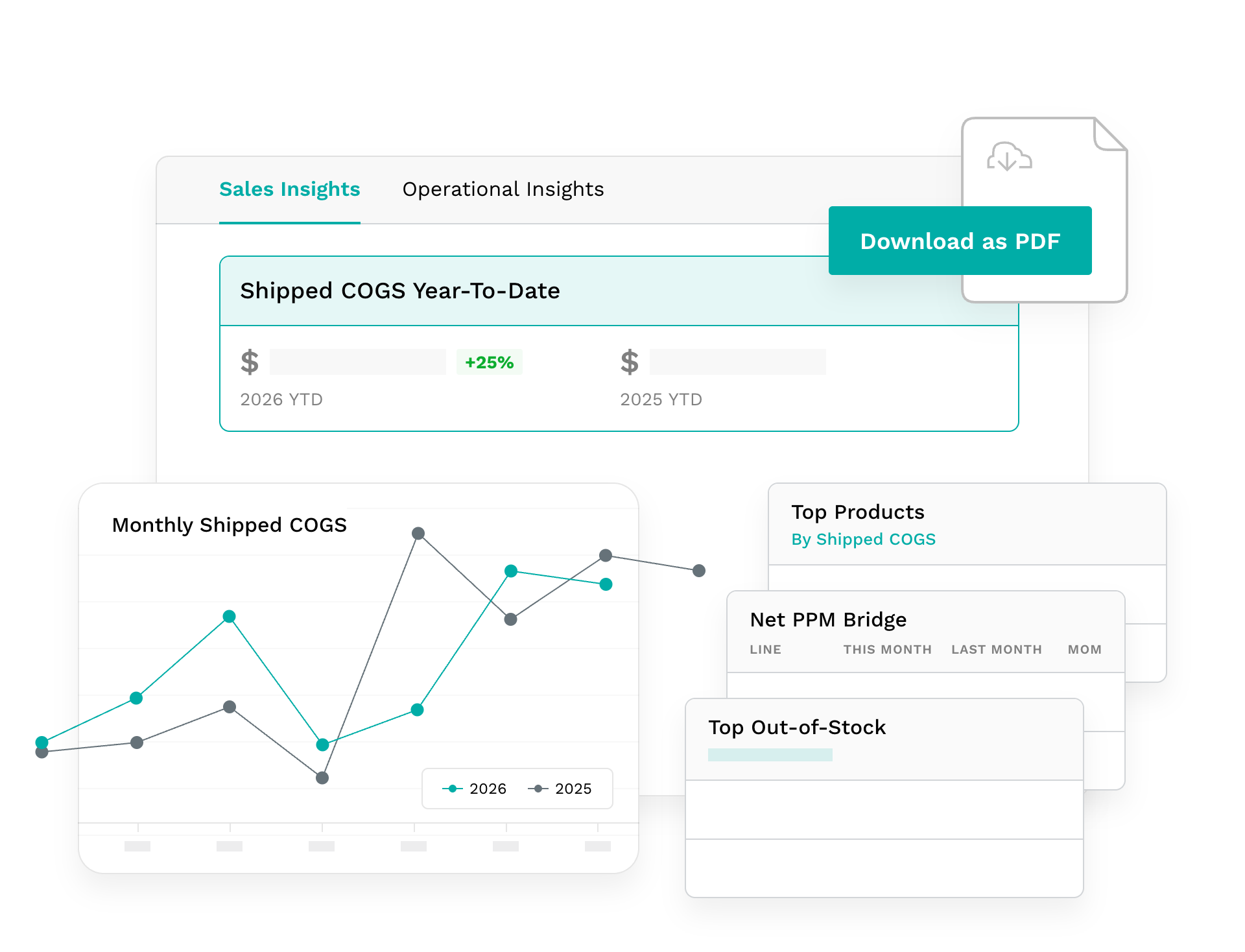
InsightLeap runs that collection for you. Product-level Vendor Central sales, inventory, traffic, returns, and open PO units land on a schedule, monitoring runs across large catalogs without anyone kicking it off, and historic Vendor Central reports stay available past the window Amazon's own interface will show you. The retention matters because seasonal planning and price change post-mortems both need a comparison period Amazon has already stopped serving.
If you want the background on which Vendor Central reports exist and what each one is good for, our guide to Amazon Vendor Central reports walks through them.
Which products are losing margin or about to lose their orders?
Revenue reports hide two expensive problems: inventory that is technically in stock but not sellable, and a product that ships fine and earns nothing.
Inventory health in InsightLeap tracks sellable, unsellable, aged, and unhealthy units per product, with open PO cover, so stranded units show up as a trend line rather than as a surprise during a stock check. Seller Central accounts get the same view of their FBA inventory.
On the margin side, Net Pure Product Margin (Net PPM) is reported at the product level, next to contra COGS and sales discounts, so you can find the ASINs where allowances, damages, and price moves have quietly eaten the margin. ASINs under 40% Net PPM for four straight weeks are flagged, the range where vendor managers trim purchase orders or mark an ASIN CRaP, which gives you a window to act before the orders stop.
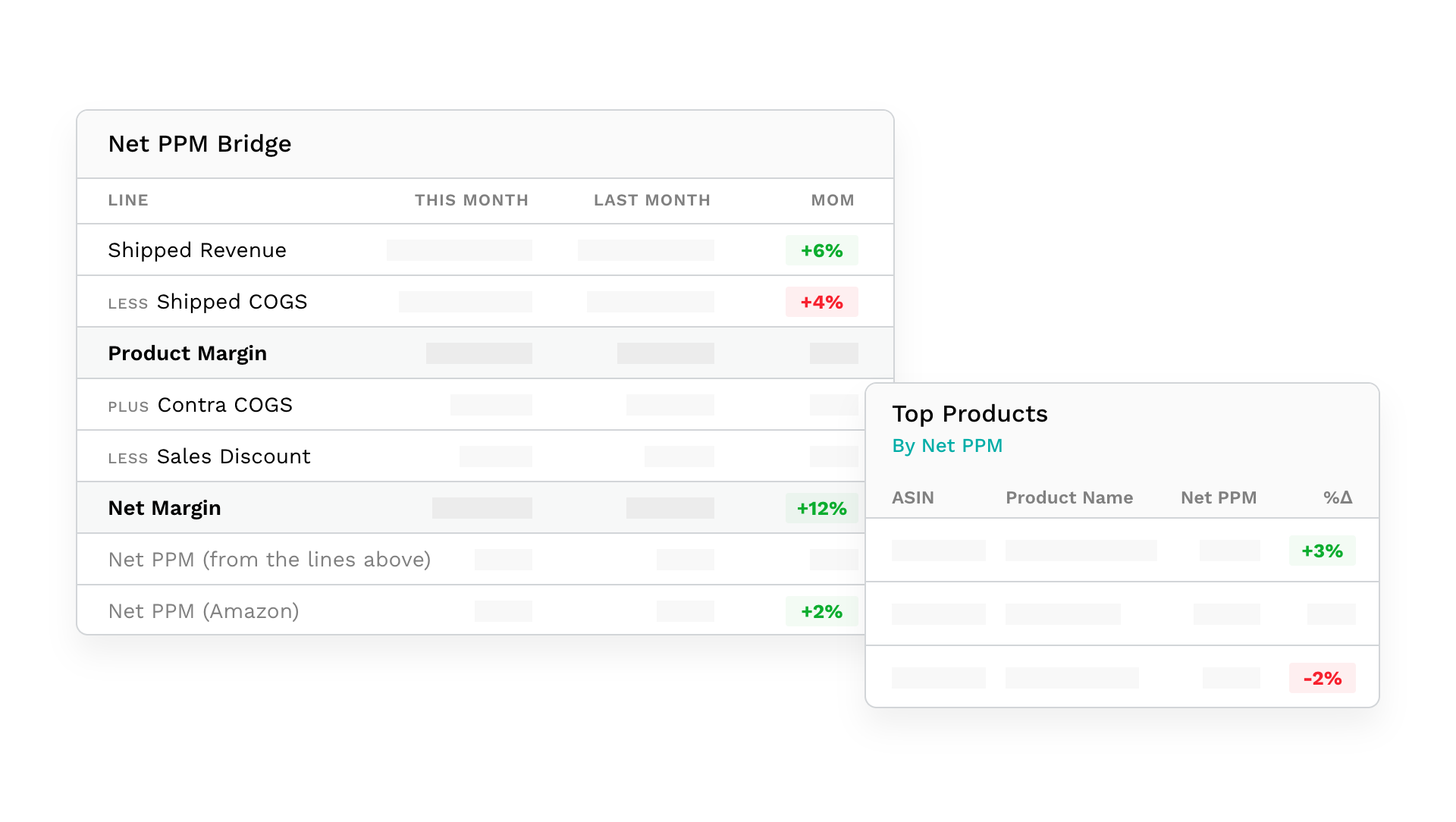
The Amazon vendor profitability page covers Net PPM in detail, from the Net PPM Bridge to contra COGS, sales discounts, and your own gross profit.
What is Amazon planning to order next?
Amazon publishes a demand forecast for your products and it changes, but most vendor teams only see the consequence of that when a purchase order arrives smaller or larger than the one they planned production against.
InsightLeap keeps the forecast history per product so you can watch Amazon's expectations move week over week, and compare the forecast against what actually shipped. A forecast that has been sliding for three weeks is worth a call with your production planner while there is still time to change what you build. Because the forecast sits in the same product as the buy box and MAP monitoring, you can read the demand signal next to the catalog problems that distort it, which is unusual in this category.
If you are still building a shortlist, our roundup of Amazon vendor analytics tools walks through how the options differ.
Did the advertising move the product, or did the listing?
Campaign metrics on their own can't tell you why a product slowed down, because a detail page that lost its main image or an ASIN that went out of stock mid-flight will drag a campaign that was working perfectly well.
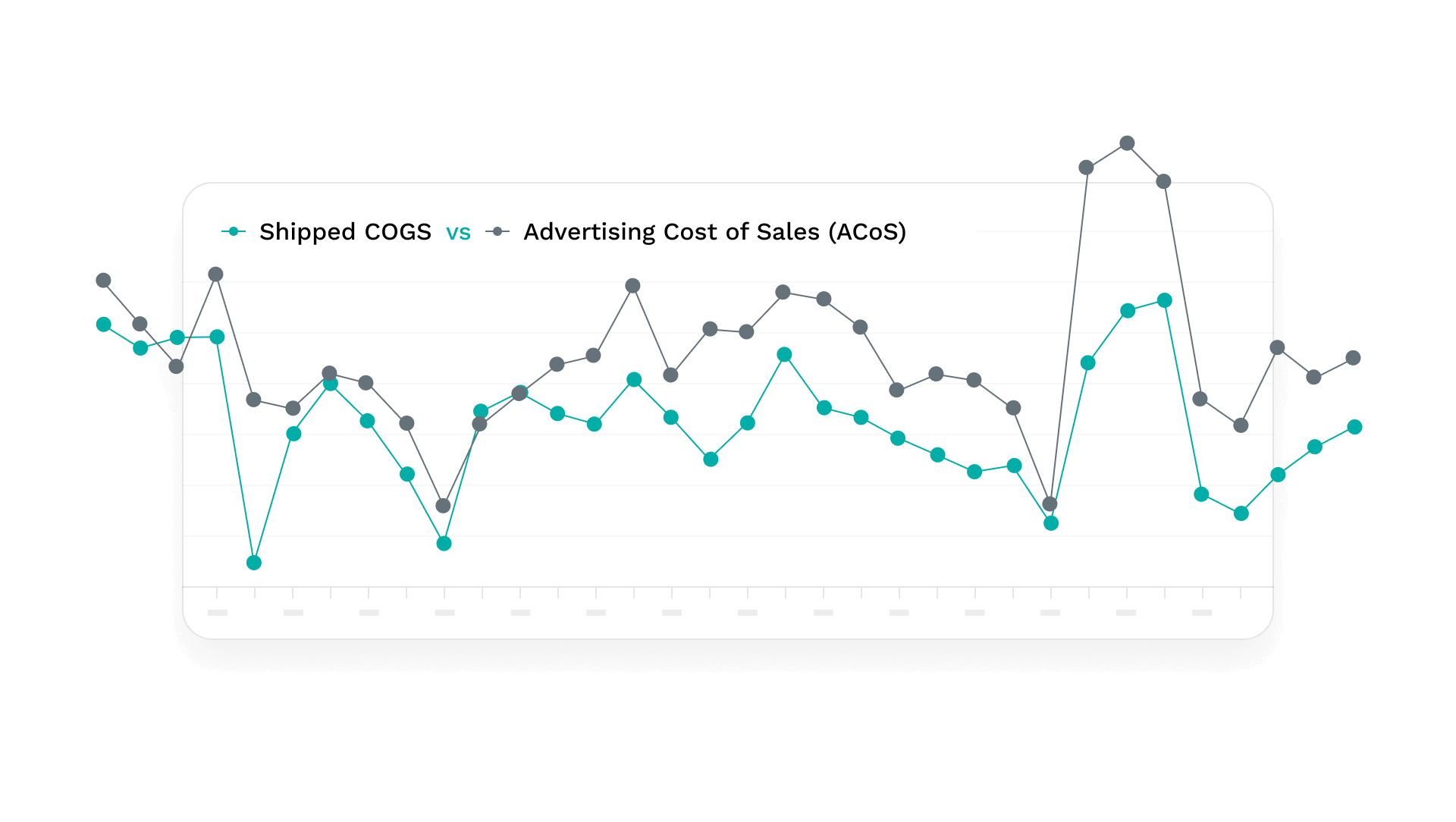
InsightLeap correlates campaign performance with product and inventory data and with glance view changes, so an ad conversation can start from the product. You can see how a change to your catalog lines up with a change in advertising return, and whether the glance views arrived and failed to convert or never arrived at all.
How do agencies and multi-brand teams keep this straight?
When one team reports across nine brands, the reporting has to follow how the work is divided up, because a category manager and a client contact need different views of the same catalog.
Products can be tagged into unlimited custom groups, by category, sub-category, season, product line, or any grouping your business already uses, and tagged in bulk by pasting a list of ASINs. Sales, inventory, and advertising metrics then compare across those groups, which is how a category manager gets a view that matches their remit. User accounts are unlimited, with tiered permissions, access control, and per-user notification settings, so a client contact can see their own brand without seeing the rest of the roster. Brands and regions are managed together, which keeps a multi-region catalog in one login.
Questions vendor teams ask first
What counts as Amazon vendor analytics?
In practice it means reporting built on the data Vendor Central gives you about your own products: product-level sales, inventory, and open PO units, Net PPM, returns, confirmation and fill rates, glance views, buy box ownership, and Amazon's published demand forecast. That is the set InsightLeap reports on, and Seller Central accounts can sit under the same team with reports of their own.
Does this replace the Vendor Central dashboards?
It sits alongside them. Amazon stays the system of record and InsightLeap reads from it, so what changes is the reporting layer: product-level data arrives on a schedule with its history intact, the daily audit covers every ASIN you monitor, and nobody rebuilds the same export by hand. Teams keep Vendor Central open for transactional work like disputing a shortage claim or editing a listing.
Does it cover Seller Central for hybrid accounts?
Yes. Connect each side as its own account under one team: Seller Central accounts get their own weekly and monthly reports with fees, net proceeds, and FBA inventory.
How is this different from a data pipeline tool?
Pipeline products move Amazon's data into your warehouse and leave the modeling and dashboards to your data team, which is a sensible choice when you already have one. InsightLeap ships the reports, alerts, and product screens ready to use, so the work starts at a product screen instead of a data model.
See it on your own catalog
Most of this is easier to judge against your own ASINs than to read about. Request access and we'll connect your Vendor Central account and go through your products with you. The full feature list covers everything above in more detail.
